Observe in the field.
Use NeoCor6 Capture to collect photos with location, direction, time, and the right project context, without repeated data entry.
Capture foundationNeoCor6 connects field evidence with AI-assisted understanding. Capture photos with context, annotate site plans with Sketch, and use Intelligence to surface observations, connect evidence, and support risk review—with professionals in control. Share reviewed results with your customers.
A photo is more useful when you know where it belongs, where it was taken, and what it represents. NeoCor6 is designed to keep those connections intact.
Use NeoCor6 Capture to collect photos with location, direction, time, and the right project context, without repeated data entry.
Capture foundationOrganize work through projects, sites, and versioned schemas. This context feeds AI-assisted understanding.
Platform + IntelligenceGive professionals a more consistent evidence base for assessing observations and deciding which issues need attention.
Human judgment at the centerConnect evidence to agent workflows and external tools, so insights can lead to coordinated follow-up.
Agents + ConnectField work moves quickly. Capture is designed around the camera, with project context selected once and carried into each observation.
Camera-first field work, with project context and synchronization kept outside the capture loop.
A dedicated field annotation app for turning aerial images and site plans into useful visual records. Designed to work independently, with a path into your NeoCor6 project workspace.
Import an aerial JPG or PNG, add clear field annotations, and keep an editable local document. Export a JPG when you need a visual record for sharing or reporting.
Use Sketch independently of NeoCor6 Platform for offline annotation on Android tablets, from image import to editable local save and JPG export.
Use the standalone workflow without a Platform account.
The integrated experience associates Sketch documents with Platform projects and sites, with synchronization and cloud access. Site plans and Capture photos become complementary records within the same project context.
Sketch keeps its dedicated editing workflow while sharing the project and site context.
Capture records what you see with photo location and direction. Sketch records how you describe the site through visual annotation. Platform provides the shared project and site context, with integrated Sketch synchronization.
Use the combination for environmental site reconnaissance, building and asset inspections, or field-operation planning—where a marked-up plan can explain relationships that an individual photo cannot.
Bring field photos back into their real-world context. Project-specific photo maps, directional markers, galleries, and full-screen review are part of the NeoCor6 Platform offering.
From construction progress and asset inspections to environmental reconnaissance, connect the image to its position and viewing direction. Capture stores GPS and camera direction in EXIF; Platform brings that context into a visual project workspace.
Building condition survey · Photo 01 of 03
Looking northeast from southwest of the building toward its corner and adjoining façades.
AI-generated images · Example coordinatesExplore captured photos on a project-specific map to understand their distribution across a site or work area.
Directional markers show where a photo was taken and the camera heading, helping identify the façade, asset, or area in view.
Browse a project photo gallery, select a map marker, and keep the selected image connected to its spatial context.
Open photos in a full-screen viewer to examine details, then return to the gallery and map for orientation.
NeoCor6 Capture stores GPS location and camera direction in EXIF metadata, alongside the structured CaptureRecord. EXIF-aware software can read these embedded fields when they are preserved. Platform adds project organization and spatial review; third-party editing or sharing services may remove EXIF metadata.
Location and heading depend on available sensor data and its quality. The direction indicates the camera’s orientation at capture, rather than a surveyed bearing or an exact subject location.
Spatial photo review across environmental, construction, asset, and field-operation workflows. The interactive concept above uses AI-generated photographs and example metadata; it does not access your photos or location.
Support environmental professionals during site reconnaissance: keep visual observations tied to their location and project, ready for subsequent review.
Keep observations linked to the right project and site, reducing reliance on filenames and memory after the visit.
Use project schemas to define the information that matters, while retaining the version used for each observation.
Evidence supports the environmental professional’s assessment. AI assistance supports review, with human interpretation and accountability.
NeoCor6 supports evidence collection and organization. It does not independently perform a Phase I ESA, determine recognized environmental conditions, or establish compliance with ASTM E1527-21 or regulatory requirements. Example data and views on this page are illustrative.
A customer portal brings selected project evidence and deliverables to the people you work for—with explicit approval before publication and access scoped to the right projects and sites.
Keep collection, internal review, and customer delivery connected. Your team prepares the evidence in NeoCor6; your customers see the information you have chosen and approved for them.
The branded portal gives each customer a portfolio of the projects and sites they are permitted to access. It brings approved photos, spatial views, documents, and deliverables together in a consistent experience.
Designed for environmental consultants, inspection teams, construction and asset specialists, and other providers who need to communicate field work to their own customers.
Selected evidence and deliverables, prepared for your customer.
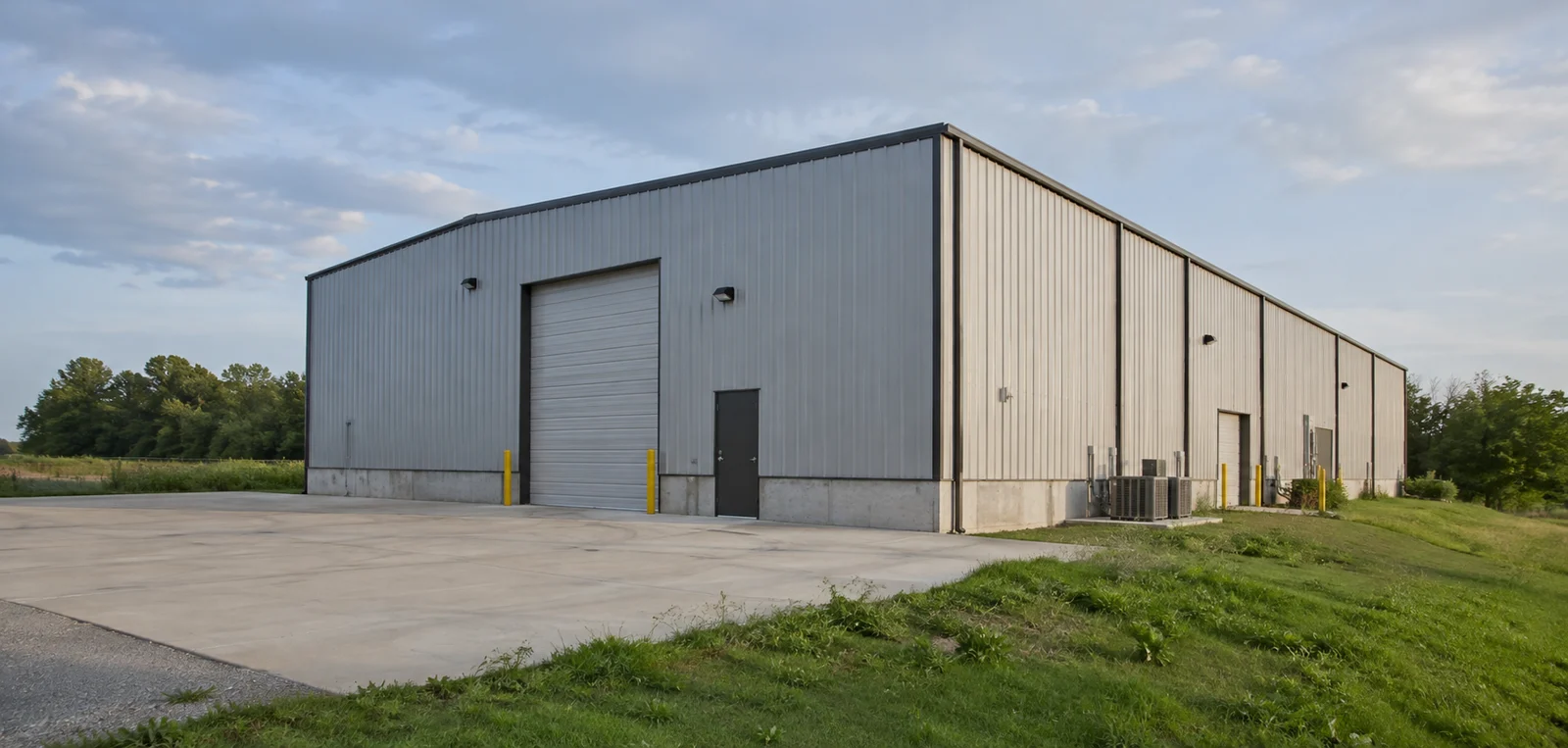
Capture photos and synchronize them into your project workspace. Synchronization alone does not make evidence visible to customers.
Review photos, maps, documents, and deliverables. Prepare a customer-facing selection separately from internal working material.
An authorized team member explicitly approves a publication. A versioned release records the selected content and its source relationships.
Invited contacts access the projects and sites granted to them, with a clear view of published evidence, updates, and available deliverables.
Manage customer accounts and contacts, send secure invitations, and grant access at project or site level. Customer access is distinct from membership in your internal workspace.
Spatial review brings approved photo galleries and directional map views to the customer workspace. Selected documents and deliverable downloads provide a practical handover alongside visual evidence.
Versioned publications make it clear which approved material was shared. Customer-visible progress is managed separately from internal task status and deliverable status.
Preserve original evidence, publication history, and relevant activity records. Withdrawing a publication can limit subsequent portal access, but cannot recall copies already downloaded.
Capture supplies field photographs and context. Sketch adds visual site-plan documentation within shared project context. Intelligence and Agents assist understanding and preparation. Customer Collaboration & Delivery provides the approval and presentation workflow for selected customer-facing material; Connect supports external integrations.
Customer Collaboration & Delivery is a reusable Platform capability across the NeoCor6 portfolio. The portal shown above uses a fictional project to illustrate the customer experience.
The same evidence-and-context approach can be adapted to other workflows. These are application examples, not claims of deployed industry solutions.
Document site conditions and observations with spatial context for project teams and environmental review.
Site reconnaissanceKeep visual records of progress, conditions, and field observations connected to the relevant project and site.
Condition documentationCollect consistent observations across distributed locations, including places where connectivity is limited.
Distributed field teamsAI capabilities bring photos, documents, and project context together—helping professionals find relevant evidence, review potential concerns, and prepare better-supported reports.
Intelligence is the interpretation layer of NeoCor6. It enriches captured evidence with structured observations, domain-specific analysis, and relationships that remain traceable to their sources. Phase I Environmental Site Assessment is a focused application of this broader vision.
Extract visible observations from field photos and organize them into a consistent, searchable structure.
Benefit: focus review effort while keeping the original evidence within reach.
Combine bounded AI classifications with a versioned, rule-based scoring matrix for more consistent review prioritization.
Benefit: a repeatable scoring process, without treating model judgments as certain or identical on every run.
Build on the Context layer’s relationships to connect individual observations into a project-level view.
Benefit: understand how findings relate, rather than reviewing isolated files.
Bring field evidence together with relevant background information for a broader review.
Benefit: connect on-site observations with documentary context. Source relevance and quality remain visible during review.
Retrieve information by meaning and relationships, alongside conventional project filters.
Benefit: reuse accumulated knowledge and identify patterns that are difficult to spot file by file.
Translate reviewed evidence into useful material for professional reporting and follow-up.
Benefit: reduce reconstruction and drafting effort while keeping approval with the responsible professional.
A photo shows containers near a discolored surface. The analysis pipeline keeps observation, interpretation, scoring, and professional review distinct.
Propose “containers visible” and “surface discoloration visible.” If labels cannot be read, record insufficient evidence about their contents.
Suggest a possible storage or release-related concern for investigation, taking available project context into account.
Calculate a review priority from validated categories and the selected scoring matrix. Keep the rationale and uncertainty visible.
A professional reviews the photo and other evidence, resolves the interpretation, and decides whether further investigation is needed.
Conceptual example only. No live AI analysis is performed on this page. A photograph cannot establish the contents of a container, contamination, or a definitive REC, HREC, or CREC determination.
“Show observations involving storage tanks at this site, with the supporting photos.”
“What changed in the north yard between the last two visits?”
“Which statements in this draft lack supporting project evidence?”
These questions illustrate evidence retrieval and review. Answers identify their sources, distinguish evidence from inference, and acknowledge information gaps.
The analysis workflow keeps original CaptureRecords and media separate from AI-derived enrichments. Derived findings retain source links, model and analysis configuration, scoring-matrix version, confidence or uncertainty information, and human review status. Reanalysis creates a traceable new result rather than silently rewriting the original observation.
Intelligence produces evidence-linked observations, assessments, and summaries. Agents are the workflow layer for activities such as research, report drafting, and follow-up. Connect is the controlled gateway through which external assistants and tools can query relevant knowledge. These layers share context while keeping analysis and action responsibilities explicit.
Intelligence brings structured observations, bounded interpretation, calibrated scoring, and professional review together with knowledge graphs, document and external-data enrichment, historical comparisons, cross-project analysis, and evidence-backed reporting.
Intelligence provides decision support. It will not independently perform a Phase I ESA or make definitive REC, HREC, or CREC determinations. Deterministic scoring applies to the rule engine; AI observations and interpretations still require evaluation, calibration, and review.
Every AI-derived finding stays connected to its source evidence and professional review context.
Six complementary layers connect field observation, shared context, intelligent analysis, and action.
Organizations, users, projects, sites, and schemas provide the shared control plane.
Capture collects contextual field photos; Sketch complements it with offline site-plan annotation and project integration.
Structured records connect observations to their business context and schema version.
AI-assisted analysis and knowledge connections help surface meaning across evidence.
Explore capabilities ↗Agent workflows translate reviewed information into useful follow-up work.
An MCP and agent gateway opens controlled access to connected knowledge and tools.
One connected portfolio—from field evidence and site plans to analysis, workflows, and customer delivery.
NeoCor6 takes its name from the neocortex, a part of the brain associated with perception, learning, and reasoning. The 6 refers to its sixth and deepest layer—a source of inspiration for building software that connects information, reveals meaning, and supports informed decisions.
That idea runs through the NeoCor6 Platform and solutions such as Capture and Sketch: helping people bring observations and ideas into a shared context, enrich them with AI, and turn them into useful knowledge and action.
From observation to understanding. From understanding to action.
Yes. Use Sketch for offline site-plan annotation on Android tablets: import JPG/PNG images, edit annotations in layers, save an editable local document, and export JPG. The integrated workflow adds Platform project/site synchronization and cloud access.
Capture collects photos with GPS and direction metadata. Sketch is a separate app for annotating site plans and aerial images. They share project and site context in Platform, while keeping photography and editable site-plan documentation in dedicated workflows.
Platform configures the work: organizations, projects, sites, and schemas. Capture performs the field collection using that context and synchronizes evidence through the Platform API. They are complementary products in the same system.
The Platform photo-map experience places project photos at their recorded GPS positions and uses camera direction for directional markers. Linked gallery and full-screen views help teams move from a site overview to individual image details. This supports multiple field workflows, including construction, assets, utilities, and environmental assessments.
EXIF travels with the photo and preserves useful capture metadata. A structured CaptureRecord adds explicit project relationships, schema version, quality information, provenance, and synchronization state. Together, they support richer context than folders and image metadata alone.
Offline field collection is a core design principle. Platform-connected workflows use prepared project context and local storage, with synchronization handled separately. Standalone local projects support independent field collection.
Intelligence extracts observations, supports calibrated scoring, and connects findings to evidence. Agents and Connect support reporting and follow-up workflows. Environmental interpretation and final assessment remain the responsibility of qualified professionals.
Customer Collaboration & Delivery lets your team curate and explicitly approve publications, then share them with invited customer contacts using project/site access grants. Internal synchronization does not automatically publish data. The customer portal brings approved evidence and deliverables together with spatial review, progress views, and governed integrations.
No. Withdrawal controls restrict subsequent portal access to a publication. They cannot recall or delete files already downloaded by a recipient.
Use “Explore a pilot” to outline your field workflow and generate a short pilot brief. Discuss commercial terms, product access, and your workflow directly with NeoCor6.
Explore how NeoCor6 could fit your projects, the evidence you collect, and the decisions your team needs to make.
Create a brief to share with NeoCor6. No registration or automatic submission.